

Edit every WordPress menu from one plugin
Tidy the admin sidebar for your team, show the right navigation links to the right visitors, and copy a menu before you change it. Three free modules in WP Extended, so you don’t need three plugins.
The admin sidebar · Menu Editor
Reorder, rename and hide admin menu items
Drag the WordPress admin menu into the order your team works, rename items, hide the ones they don’t need, and choose which roles can open each page. Pages you deny stay blocked, even by direct URL.
About Menu Editor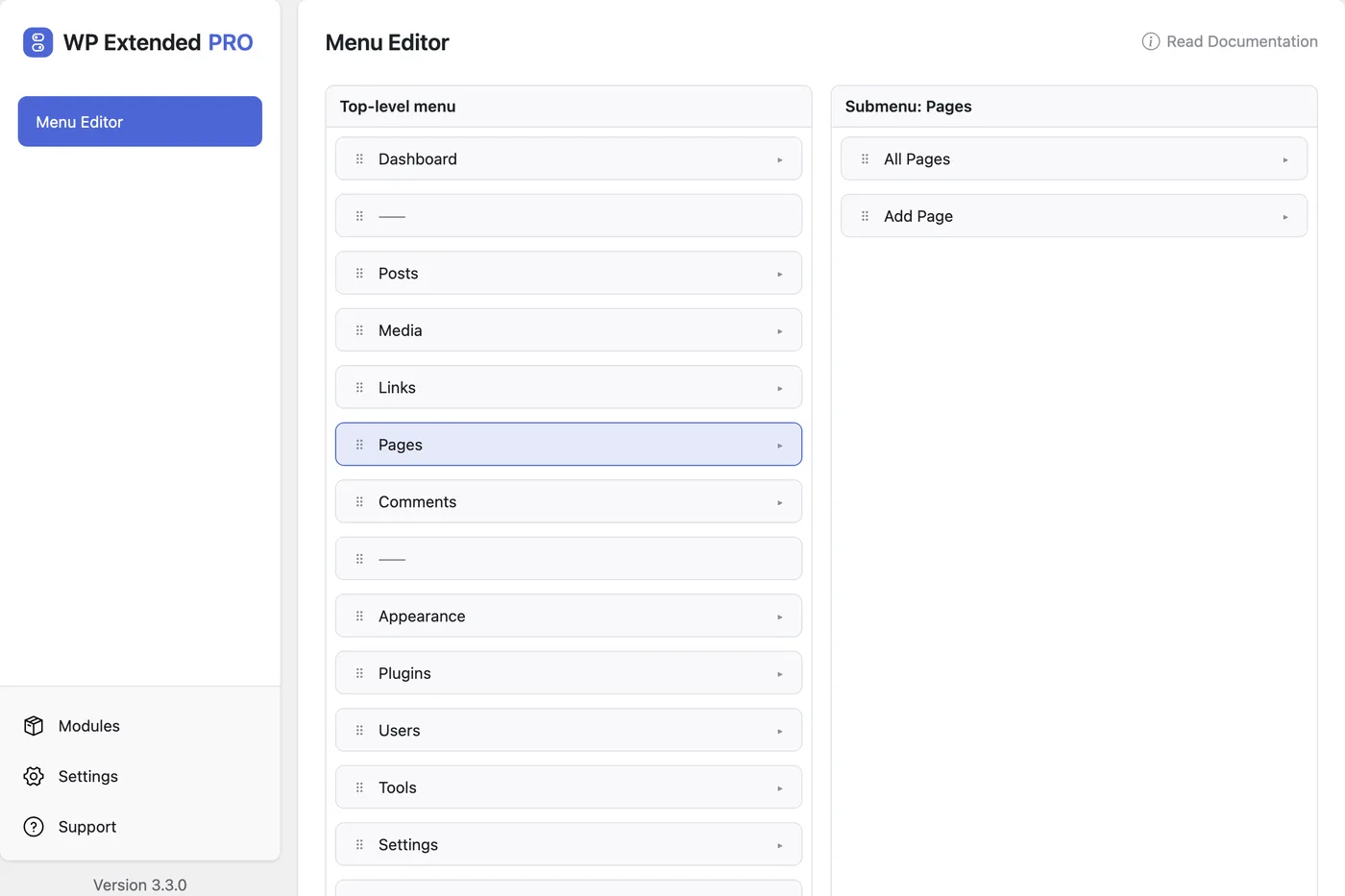
Navigation menus · Menu Visibility
Show menu items to logged-in or logged-out visitors
Give every item in Appearance → Menus a visibility setting: everyone, logged-in visitors only or logged-out visitors only. Show Log in to visitors and My Account to members from one menu.
About Menu Visibility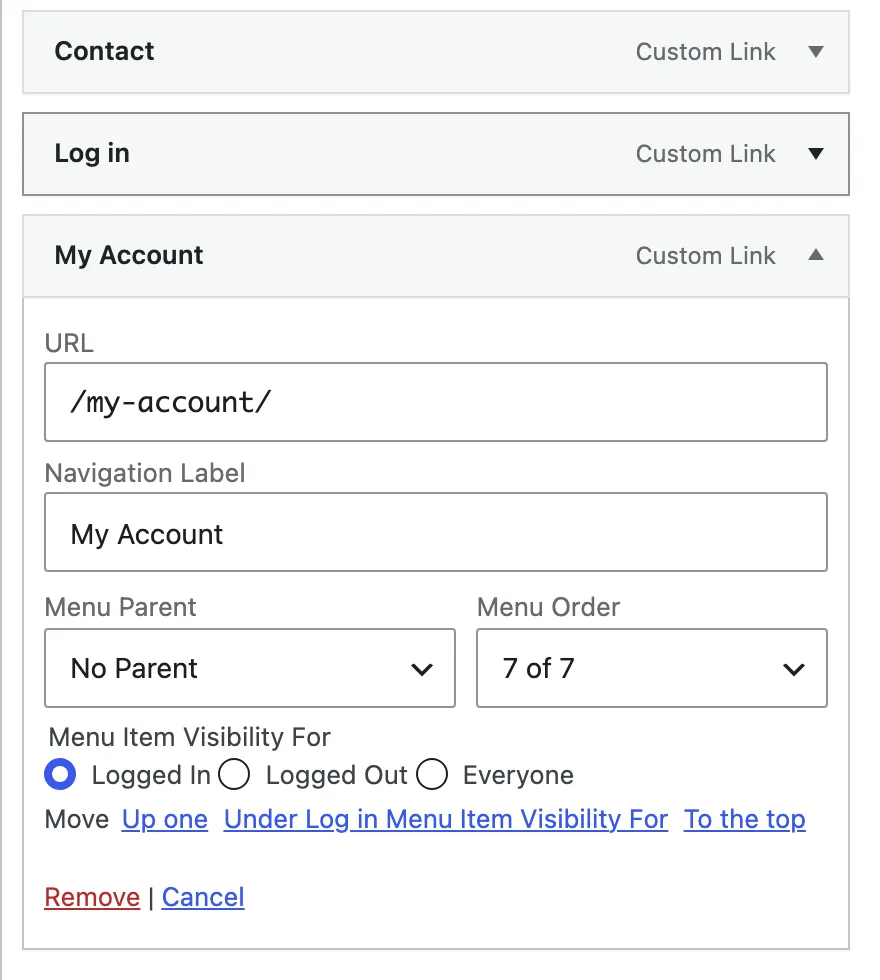
Navigation menus · Duplicate Menu
Copy a menu before you change it
Clone any navigation menu, with every item and its nesting, under a new name. Rework the copy while the original stays live, or start a footer or mobile menu from the main one.
About Duplicate Menu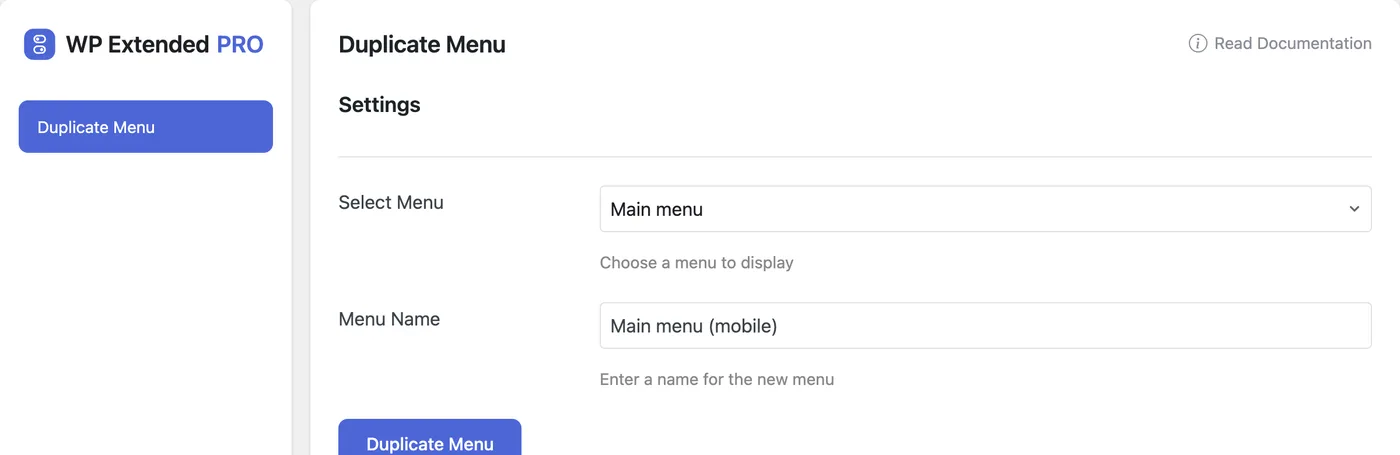
Menu questions
Yes. Menu Editor, Menu Visibility and Duplicate Menu are all in the free WP Extended plugin on WordPress.org.
The admin menu is the sidebar inside wp-admin, which Menu Editor changes. Navigation menus are the menus visitors see on your site, built in Appearance → Menus, which Menu Visibility and Duplicate Menu work on.
Hiding removes it from the menu. Role restrictions in Menu Editor also block the page itself, including when someone types its URL.
No. Menu Visibility only hides the link. Protect the page itself with your membership plugin or page settings.
No. All three are modules in one plugin, alongside 48 others. Switch on the ones you need and leave the rest off.
Get all three free menu tools
Install the free plugin from WordPress.org, try the modules on a real site, and upgrade to Pro when a project needs more.
Pro from $29 a year · 14-day money-back guarantee