
Upload SVG files to WordPress safely
Use SVG logos and icons in the media library like any other image. Every file is sanitised on upload to strip scripts and unsafe attributes.
Free on WordPress.org. Pro adds the extra options listed below.
- with extra Pro options
- Free
- setting to configure
- 1
- developer hook
- 1
- last improved in
- 1.0.1

Why you need SVG File Upload
WordPress blocks SVG uploads because an SVG is code. It can carry JavaScript, so allowing uploads without cleaning them opens a security hole.
The usual workarounds are pasting SVG code into blocks or converting crisp logos into blurry PNGs.
What SVG File Upload does
- Sanitised on upload Scripts, event attributes and unsafe animation elements are removed before the file is saved.
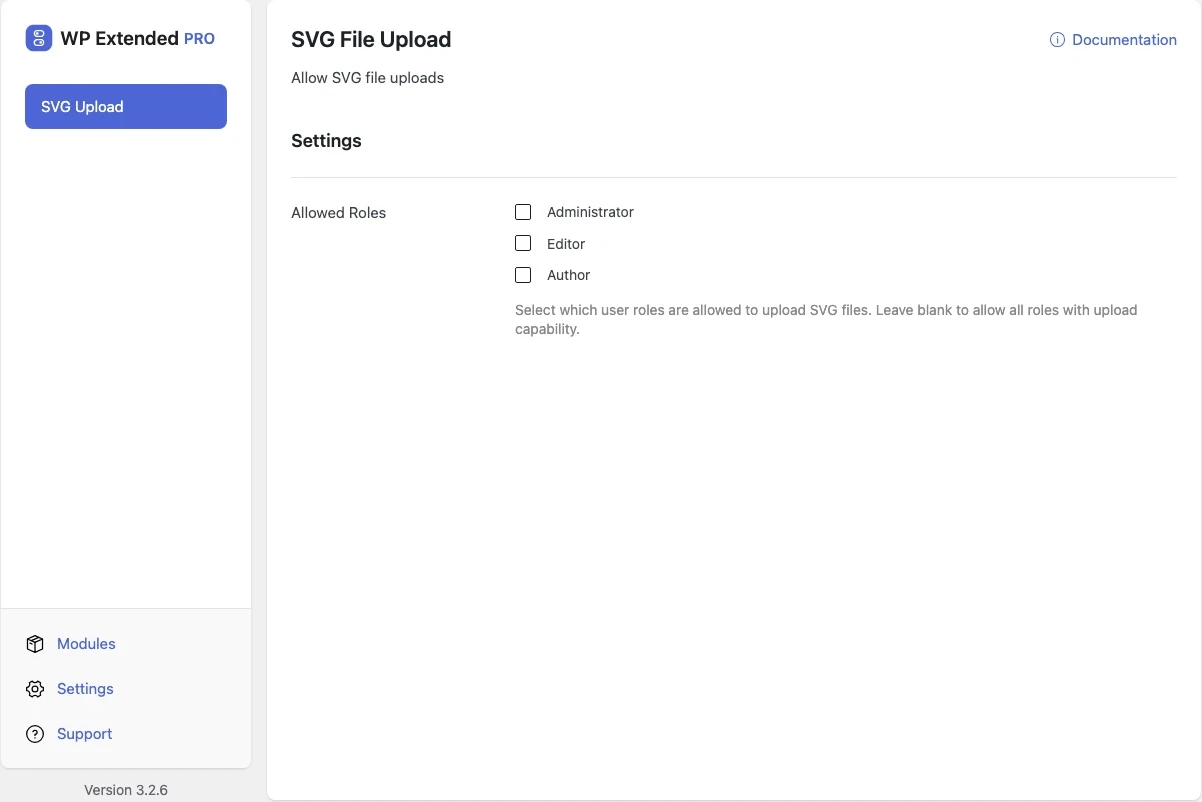
- Limit by role Pro lets you choose which user roles can upload SVGs.
- 01 Turn on SVG File Upload under Media Tools.
- 02 Upload SVGs to the media library as normal.
- 03 With Pro, choose which roles are allowed to upload them.
Free and Pro options
What you can set in the free plugin, and what WP Extended Pro adds.
Added by Pro Pro
- Allowed Roles Select which user roles are allowed to upload SVG files. Leave blank to allow all roles with upload capability.
Pro options unlock on any Pro plan, from $29 a year.
Where SVG File Upload helps

Sharp logos
Upload logos as SVG so they stay crisp at every size and on retina screens.

Icon sets
Add icon SVGs once and use them across the site.
SVG File Upload vs Safe SVG
Safe SVG has 1M+ active installs and SVG Support has 1M+ active installs on WordPress.org. If you only need this one job, that’s a fine choice. If the site also needs other modules on this list, it’s one less plugin to update.
- What SVG File Upload covers
- Sanitised SVG uploads, with role restrictions in Pro.
- When to choose the specialist plugin
- If you need inline SVG rendering for animation or styling with CSS, a dedicated SVG plugin can do that.
For developers
SVG File Upload has 1 hook for changing its behaviour per project, without editing the plugin.
All SVG File Upload hooksadd_filter( 'wpextended/svg-upload/has_upload_permission', function ( $value ) {
// Return the value you want to use
return $value;
} );- svg-upload/has_upload_permission
“Previously I had to install multiple plugins for each feature of this plugin. Features I love: Export Users, Duplicate Pages & Posts, Insert Headers & Footers Snippets, Debug Mode, SVG Upload.”
- v1.0.1 28 Sept 2022
- new
SVG File Upload module.
- new
SVG File Upload questions
SVG File Upload documentationEach file is sanitised as it is uploaded, removing scripts and unsafe attributes. The sanitiser was hardened in version 3.3.0. For extra caution, limit uploads to trusted roles with Pro.
Yes. Uploading is free. WP Extended Pro adds role restrictions.
Get SVG File Upload free
SVG File Upload is in the free plugin on WordPress.org, alongside 34 other free modules you can switch on when you need them.
Pro from $29 a year · 14-day money-back guarantee