

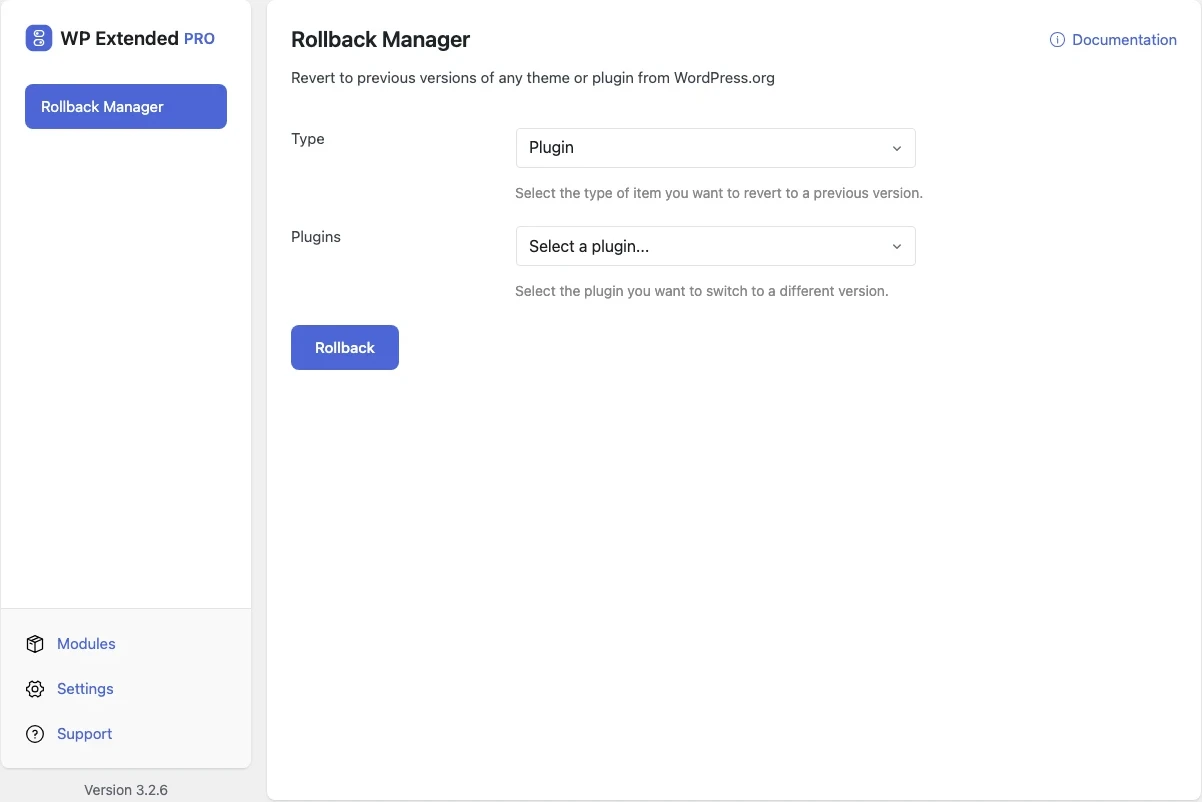
Roll back a plugin or theme to an earlier version
When an update breaks something, pick the plugin or theme, choose an earlier version from WordPress.org and reinstall it in a couple of clicks.
Free on WordPress.org, with nothing locked behind Pro.
- in the free plugin
- Free
- updates since 2026
- 5
- last improved in
- 3.4.2
- Performance & Control modules
- 8

Why you need Rollback Manager
Undoing a bad update usually means downloading an old zip, deleting the plugin over FTP and uploading it again, while the site stays broken.
What Rollback Manager does
Plugins and themes
Any plugin or theme hosted on WordPress.org.
Pick the version
Choose from the available versions, with the installed one marked.
Confirm first
A confirmation step before the installed version is replaced.
Set it up
In WordPress, open WP Extended and find Rollback Manager under Performance & Control.
Full setup guide- 01 Turn on Rollback Manager under Performance & Control.
- 02 Choose Plugin or Theme, then the item.
- 03 Pick an earlier version and confirm.
Where Rollback Manager helps

Bad updates
Get the site working again while the plugin author fixes the bug.

Testing
Check whether a bug arrived in a particular release.
Rollback Manager vs WP Rollback
WP Rollback has 300k+ active installs on WordPress.org. If you only need this one job, that’s a fine choice. If the site also needs other modules on this list, it’s one less plugin to update.
- The difference
- Rollback Manager does the same core job inside WP Extended, so it shares one settings screen, one update and one support team with every other module you use.
“Turn on what you need, leave the rest off. Duplicate posts, SMTP, rollback, custom admin URL, code snippets… stuff I used to install four or five separate plugins for. Now it’s just one with one update to run and one UI to deal with.”
- v3.4.2 4 Nov 2026
- fixed
The plugin and theme lists were empty, so nothing could be rolled back. WordPress.org now refuses the kind of request the module sent.
- fixed
Rolling back no longer fails with “version is not one of the permitted values”.
- improved
The plugin and theme lists load faster: answers from WordPress.org are kept for 12 hours.
- fixed
- v3.3.0 10 Sept 2026
- fixed
Version lists were fetched over an insecure connection.
- fixed
- v3.2.6 21 Apr 2026
- fixed
Fatal error (ArgumentCountError) crashing the Themes screen on multisite due to incorrect theme_action_links filter signature.
- fixed
Rollback Manager questions
Rollback Manager documentationYes. It is in the free plugin.
No. Only plugins and themes hosted on WordPress.org, because that’s where earlier versions are available.
Yes. A rollback replaces files, and older versions may not understand data saved by a newer one.
Get Rollback Manager free
Rollback Manager is in the free plugin on WordPress.org, alongside 34 other free modules you can switch on when you need them.
Pro from $29 a year · 14-day money-back guarantee