

Drag and drop to reorder posts and pages
Drag items in the admin list into the order you want them shown, for posts, pages or any custom post type.
Free on WordPress.org. Pro adds the extra options listed below.
- with extra Pro options
- Free
- setting to configure
- 1
- developer hooks
- 2
- updates since 2024
- 5

Why you need Post Type Order
WordPress orders posts by date. Team members, services, portfolio items and FAQs usually need a hand-picked order, and editing menu order numbers one by one is tedious.
What Post Type Order does
Drag and drop
Reorder items directly in the list screen.
Posts and pages
Order posts and pages in the free plugin.
Any post type
Pro adds WooCommerce products and every custom post type.
Set it up
In WordPress, open WP Extended and find Post Type Order under Content Management.
Full setup guide- 01 Turn on Post Type Order under Content Management.
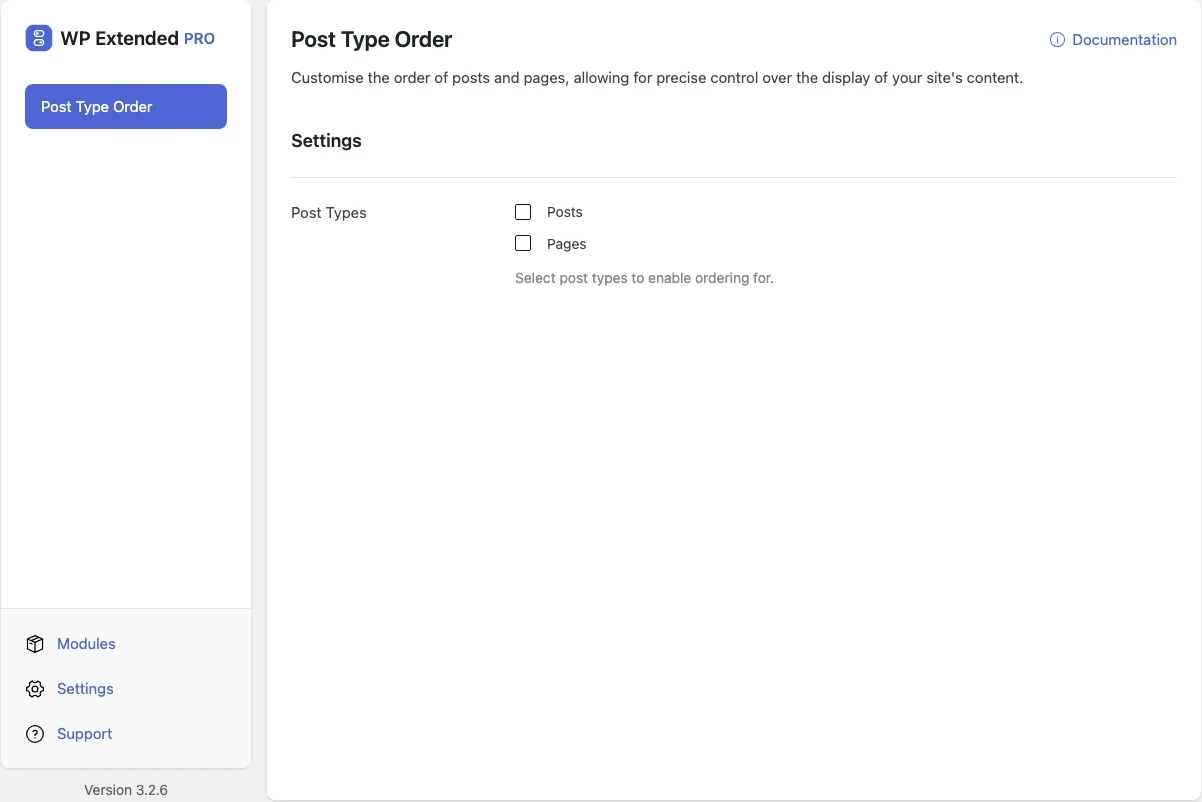
- 02 Choose the post types to enable ordering for.
- 03 Open the list screen and drag items into place.
Free and Pro options
What you can set in the free plugin, and what WP Extended Pro adds.
In the free plugin Free
- Post Types Select post types to enable ordering for.
Pro options unlock on any Pro plan, from $29 a year.
Where Post Type Order helps

Team and service pages
Show people or services in the order you choose.

Portfolios
Put your best work first.
Post Type Order vs Post Types Order
Post Types Order has 600k+ active installs on WordPress.org. If you only need this one job, that’s a fine choice. If the site also needs other modules on this list, it’s one less plugin to update.
- The difference
- Post Type Order does the same core job inside WP Extended, so it shares one settings screen, one update and one support team with every other module you use.
For developers
Post Type Order has 2 hooks for changing its behaviour per project, without editing the plugin.
All Post Type Order hooksadd_filter( 'wpextended/post-order/excluded_post_types', function ( $excluded ) {
// Filters the post types left out of this module’s post type list.
return $excluded;
} );- post-order/excluded_post_types
- post-order/post_types
“Features I love the most: Disable Gutenberg Widgets, Duplicate Page and Posts, Limit Login Attempts, Post & Page Order, Maintenance Mode.”
- v3.3.0 10 Sept 2026
- fixed
Duplicate ordering was not always detected.
- fixed
- v3.1.0 22 Sept 2025
- new
Success/error notification added.
- improved
Better handling of post movement.
- improved
Access control checks for moving posts.
- new
- v3.0.9 2 Sept 2024
- fixed
Post Type Order – Post type order not working with hierarchical parent/children.
- fixed
Post Type Order questions
Post Type Order documentationYes, for posts and pages. WP Extended Pro adds custom post types such as team members, services or products.
It sets each item’s menu order. Themes and blocks that sort by menu order use it.
Pairs well with
All Content ManagementGet Post Type Order free
Post Type Order is in the free plugin on WordPress.org, alongside 34 other free modules you can switch on when you need them.
Pro from $29 a year · 14-day money-back guarantee