

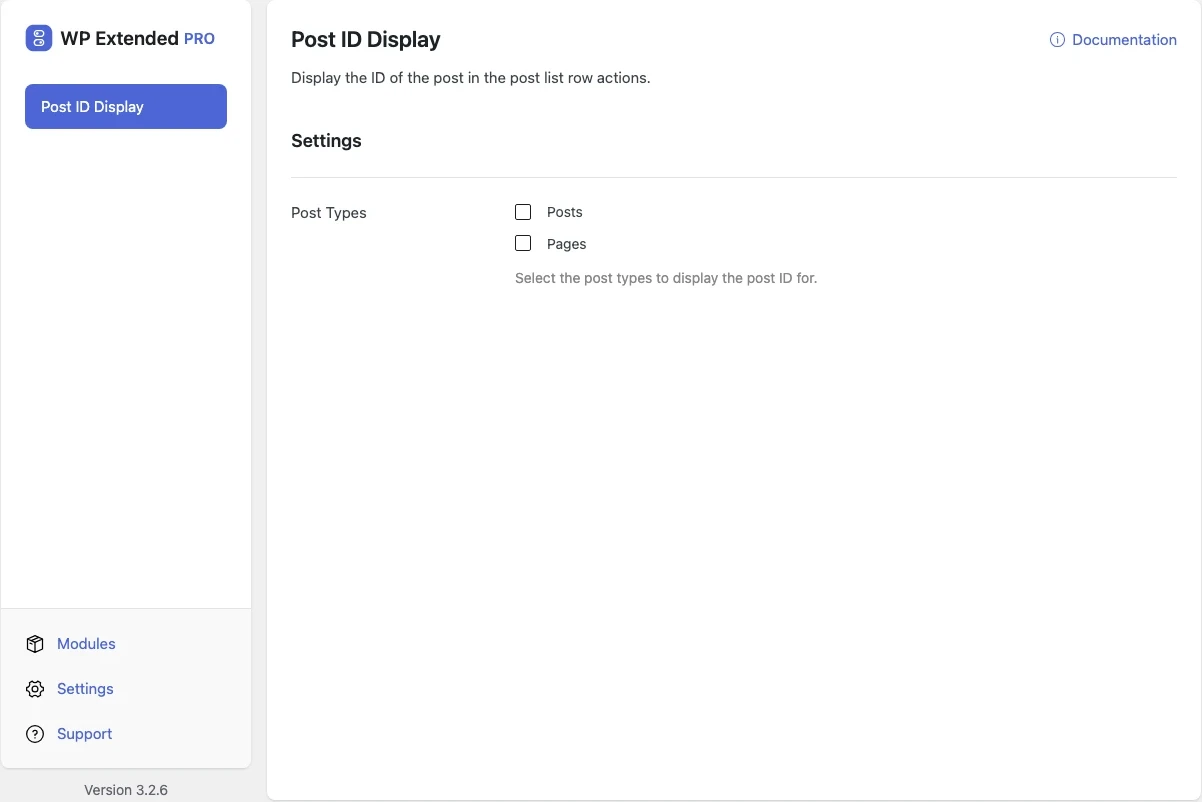
Show post IDs in WordPress lists
Show each item’s ID in the post list, so you can copy it for shortcodes, queries and support tickets.
Included in every Pro plan, alongside all the other modules.
- included in every Pro plan
- Pro
- setting to configure
- 1
- developer hooks
- 2
- last improved in
- 3.3.0

Why you need Post ID Display
Shortcodes, page builders and developers often ask for a post ID. WordPress hides it in the edit URL.
What Post ID Display does
- IDs in the list The ID appears in each row, for the post types you choose.
What you can configure
1 settings, all included with Pro.
- Post Types Select the post types to display the post ID for.
Where Post ID Display helps

Shortcodes and builders
Grab an ID without opening the post.
Post ID Display vs Reveal IDs
Reveal IDs has 40k+ active installs on WordPress.org. If you only need this one job, that’s a fine choice. If the site also needs other modules on this list, it’s one less plugin to update.
- The difference
- Post ID Display does the same core job inside WP Extended, so it shares one settings screen, one update and one support team with every other module you use.
For developers
Post ID Display has 2 hooks for changing its behaviour per project, without editing the plugin.
All Post ID Display hooksadd_filter( 'wpextended/post-id-display/excluded_post_types', function ( $value ) {
// Return the value you want to use
return $value;
} );- post-id-display/excluded_post_types
- post-id-display/post_types
Post ID Display questions
Post ID Display documentationNo. It is part of WP Extended Pro.
Get Post ID Display with WP Extended Pro
Every Pro plan includes Post ID Display and the rest of the toolkit, with updates and support.
Pro from $29 a year · 14-day money-back guarantee