
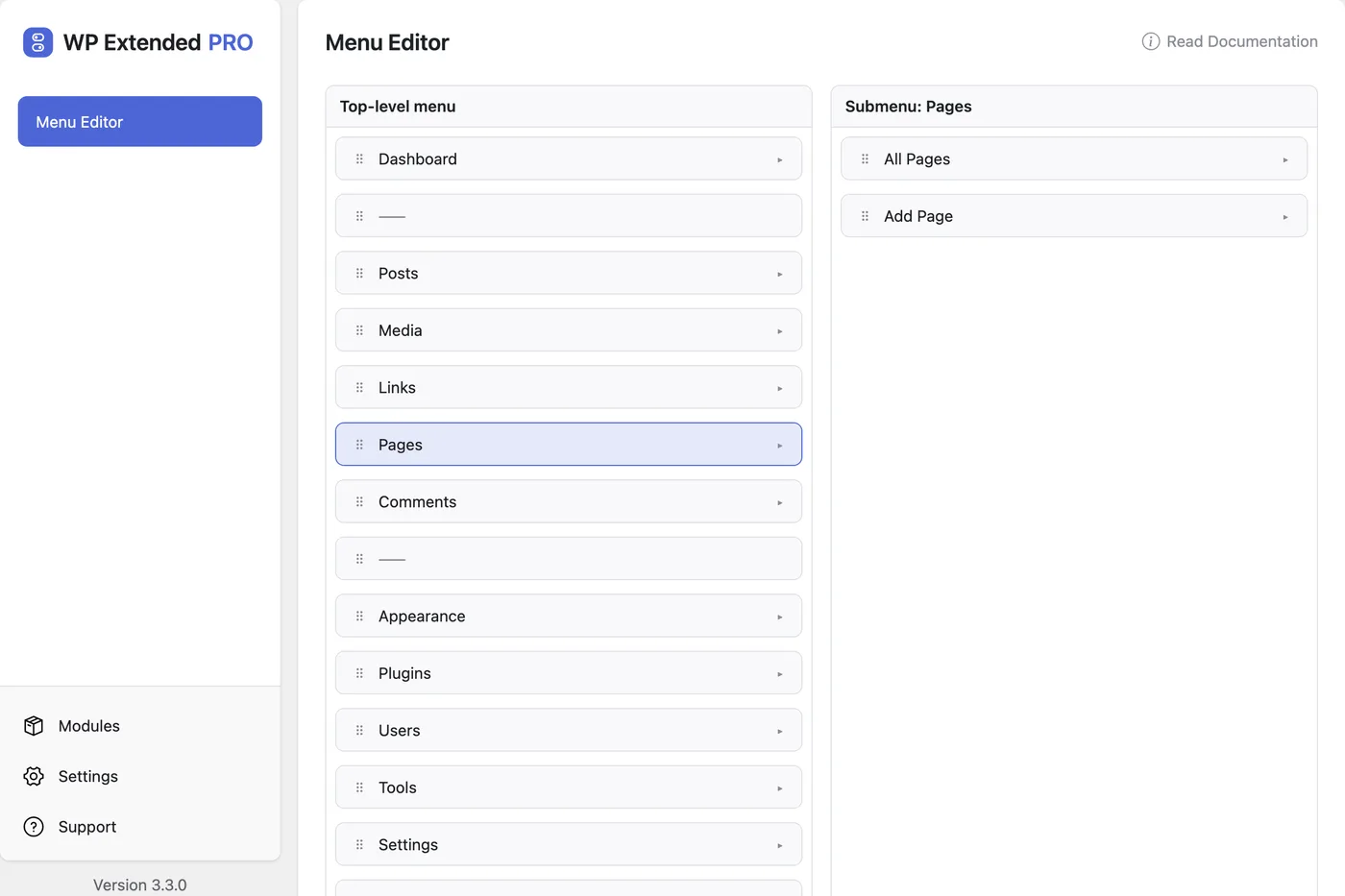
Reorder, rename and hide WordPress admin menu items
Drag admin menu items into the order your team works, rename them, hide the ones they don’t need, and control which roles can see each page.
Free on WordPress.org, with nothing locked behind Pro.
- in the free plugin
- Free
- updates since 2023
- 19
- last improved in
- 3.4.0
- Admin Tools modules
- 12

Why you need Menu Editor
Every plugin adds a top-level menu item, so the sidebar grows to thirty entries. Clients can’t find Pages, and editors can open screens they shouldn’t touch.
What Menu Editor does
Reorder and rename
Drag items into place and give them clearer names.
Hide items
Hide items from the menu for everyone or for chosen roles.
Role access
Grant a role access to a page, and only that page. Denied pages stay blocked even by direct URL.
Where Menu Editor helps

Client handover
A short menu with Pages, Posts and the two plugins they actually use.
Editorial roles
Give editors one settings page without making them administrators.
Menu Editor vs Admin Menu Editor
Admin Menu Editor has 300k+ active installs on WordPress.org. If you only need this one job, that’s a fine choice. If the site also needs other modules on this list, it’s one less plugin to update.
- The difference
- Menu Editor does the same core job inside WP Extended, so it shares one settings screen, one update and one support team with every other module you use.
- v3.4.0 3 Nov 2026
- improved
Loading and resetting the menu no longer reloads the page.
- improved
- v3.3.0 10 Sept 2026
- improved
A role granted a page now receives that page’s capability only while WordPress is serving that page, not for the rest of the admin session.
- improved
A delegated page that saves over the REST API or AJAX renders read-only.
- fixed
Granting a role access to a page handed that role the page’s capability everywhere in the admin, which could turn an Editor into a full administrator.
- fixed
Role restrictions had no effect on plugin pages.
- improved
Menu Editor questions
Menu Editor documentationYes. It is in the free plugin.
Hiding removes it from the menu. Role restrictions also block the page itself, including when someone types its URL.
Menu Editor works on the admin sidebar. For the menus visitors see, use Menu Visibility and Duplicate Menu: see all three WordPress menu tools.
Get Menu Editor free
Menu Editor is in the free plugin on WordPress.org, alongside 34 other free modules you can switch on when you need them.
Pro from $29 a year · 14-day money-back guarantee