
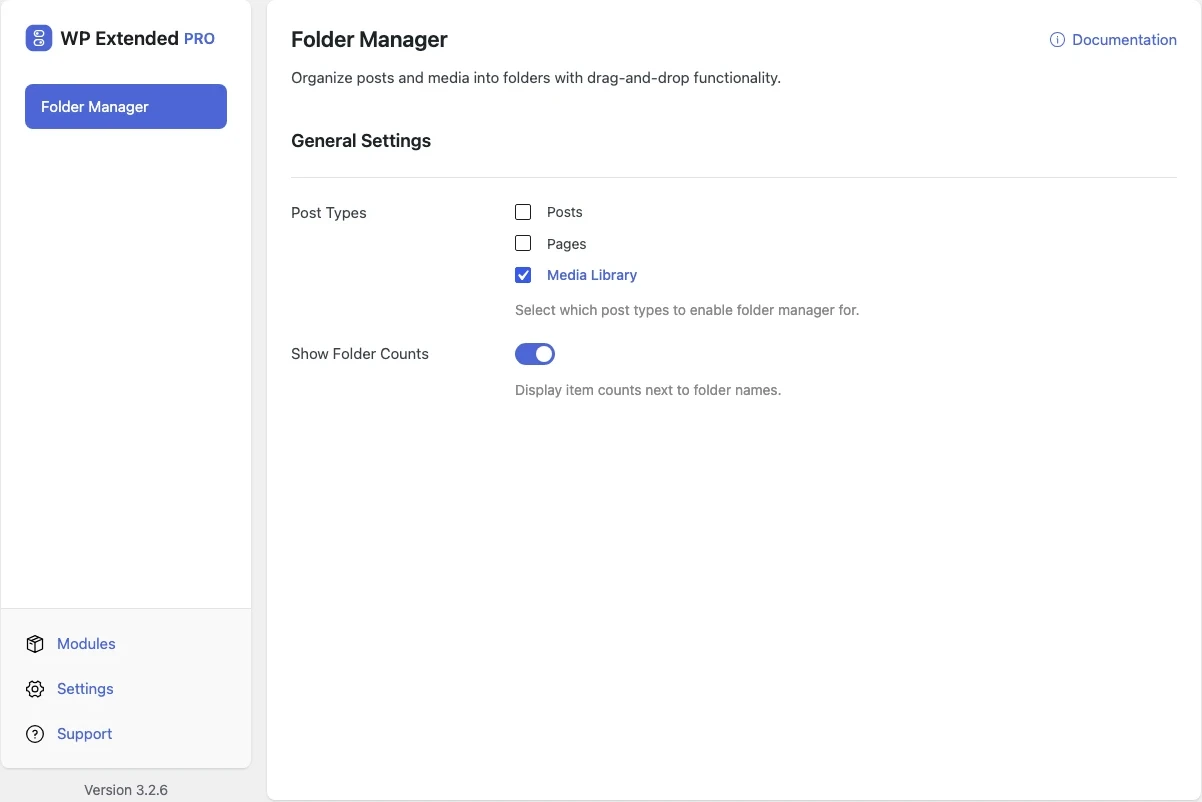
Organise WordPress media and posts into folders
Drag media, posts and pages into folders, so you can find things in a library of thousands of files.
Free on WordPress.org. Pro adds the extra options listed below.
- with extra Pro options
- Free
- settings to configure
- 2
- developer hooks
- 5
- updates since 2025
- 11

Why you need Folder Manager
The WordPress media library is one long grid sorted by date. On a site with years of uploads, finding last spring’s product photos means scrolling and searching by file name.
What Folder Manager does
Drag and drop
Create nested folders and drag items into them.
Media and content
Folders for the media library, and with Pro for any post type you choose.
Folder counts
Pro shows how many items each folder holds.
Free and Pro options
What you can set in the free plugin, and what WP Extended Pro adds.
Added by Pro Pro
- Post Types Select which post types to enable folder manager for.
- Show Folder Counts Display item counts next to folder names.
Pro options unlock on any Pro plan, from $29 a year.
Where Folder Manager helps

Large media libraries
Group images by client, campaign or product range.

Big page trees
Group pages by section on sites with hundreds of them.
Folder Manager vs FileBird
FileBird has 200k+ active installs on WordPress.org. If you only need this one job, that’s a fine choice. If the site also needs other modules on this list, it’s one less plugin to update.
- The difference
- Folder Manager does the same core job inside WP Extended, so it shares one settings screen, one update and one support team with every other module you use.
For developers
Folder Manager has 5 hooks for changing its behaviour per project, without editing the plugin.
All Folder Manager hooksadd_filter( 'wpextended/folder-manager/available_post_types', function ( $options ) {
// Filters the post types offered in this module’s settings.
return $options;
} );- folder-manager/available_post_types
- folder-manager/editor_script_data
- folder-manager/enabled_post_types
- folder-manager/is_post_type_enabled
- folder-manager/script_data
- v3.4.0 3 Nov 2026
- fixed
REST requests failed on some sites — they now go through WordPress’s apiFetch.
- fixed
- v3.3.0 10 Sept 2026
- fixed
A bulk move to a folder did not check permissions for each post.
- fixed
A post duplicated from inside a folder was dropped out of it.
- fixed
Sort links and status views kept the folder you had just left.
- fixed
- v3.2.6 21 Apr 2026
- fixed
“Could not move to folder” error when changing folder assignment from the block editor sidebar.
- fixed
Folder Manager questions
Folder Manager documentationYes. Folders are free. Choosing post types and showing counts are part of WP Extended Pro.
No. Folders are for organising in the admin. File paths and URLs stay the same.
Get Folder Manager free
Folder Manager is in the free plugin on WordPress.org, alongside 34 other free modules you can switch on when you need them.
Pro from $29 a year · 14-day money-back guarantee