
Duplicate a WordPress menu
Copy a navigation menu, with every item and its nesting, under a new name. Edit the copy safely while the original stays live.
Free on WordPress.org, with nothing locked behind Pro.
- in the free plugin
- Free
- settings to configure
- 2
- developer hook
- 1
- updates since 2023
- 4

Why you need Duplicate Menu
WordPress can’t copy a menu. Rebuilding a large menu by hand to test changes, or to make a variation for another location, takes ages.
What Duplicate Menu does
- Full copy Every item, its order and its hierarchy is cloned.
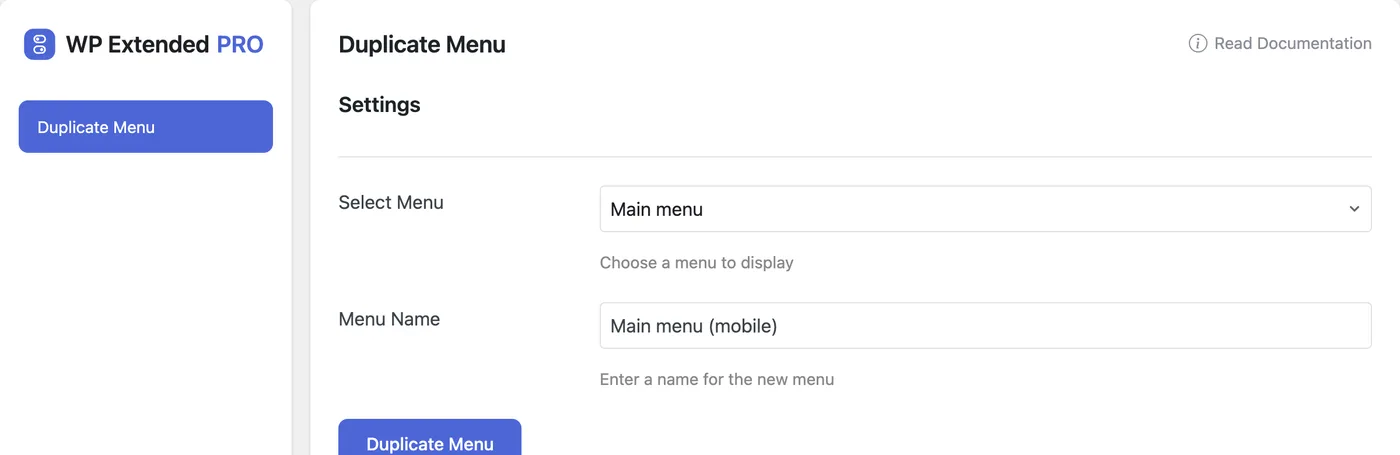
- Name it Choose the menu to copy and name the new one.
Set it up
In WordPress, open WP Extended and find Duplicate Menu under Content Management.
Full setup guide- 01 Turn on Duplicate Menu under Content Management.
- 02 Choose the menu to copy.
- 03 Enter a name for the new menu and duplicate it.
What you can configure
2 settings, all in the free plugin.
- Select Menu Choose a menu to display
- Menu Name Enter a name for the new menu
Where Duplicate Menu helps

Safe menu edits
Rework a copy, then assign it to the menu location when it’s ready.

Footer and mobile variants
Start from the main menu and trim it down.
WP Extended vs the Duplicate Menu plugin
The Duplicate Menu plugin has 100k+ active installs on WordPress.org. If you only need this one job, that’s a fine choice. If the site also needs other modules on this list, it’s one less plugin to update.
- The difference
- Duplicate Menu does the same core job inside WP Extended, so it shares one settings screen, one update and one support team with every other module you use.
For developers
Duplicate Menu has 1 hook for changing its behaviour per project, without editing the plugin.
All Duplicate Menu hooksadd_action( 'wpextended/duplicate-menu/duplicate_menu_item', function () {
// Your code here
} );- duplicate-menu/duplicate_menu_item
Duplicate Menu questions
Duplicate Menu documentationYes. It is in the free plugin.
Menu Visibility shows menu items to logged-in or logged-out visitors, and Menu Editor tidies the admin sidebar. See all three WordPress menu tools.
Get Duplicate Menu free
Duplicate Menu is in the free plugin on WordPress.org, alongside 34 other free modules you can switch on when you need them.
Pro from $29 a year · 14-day money-back guarantee