
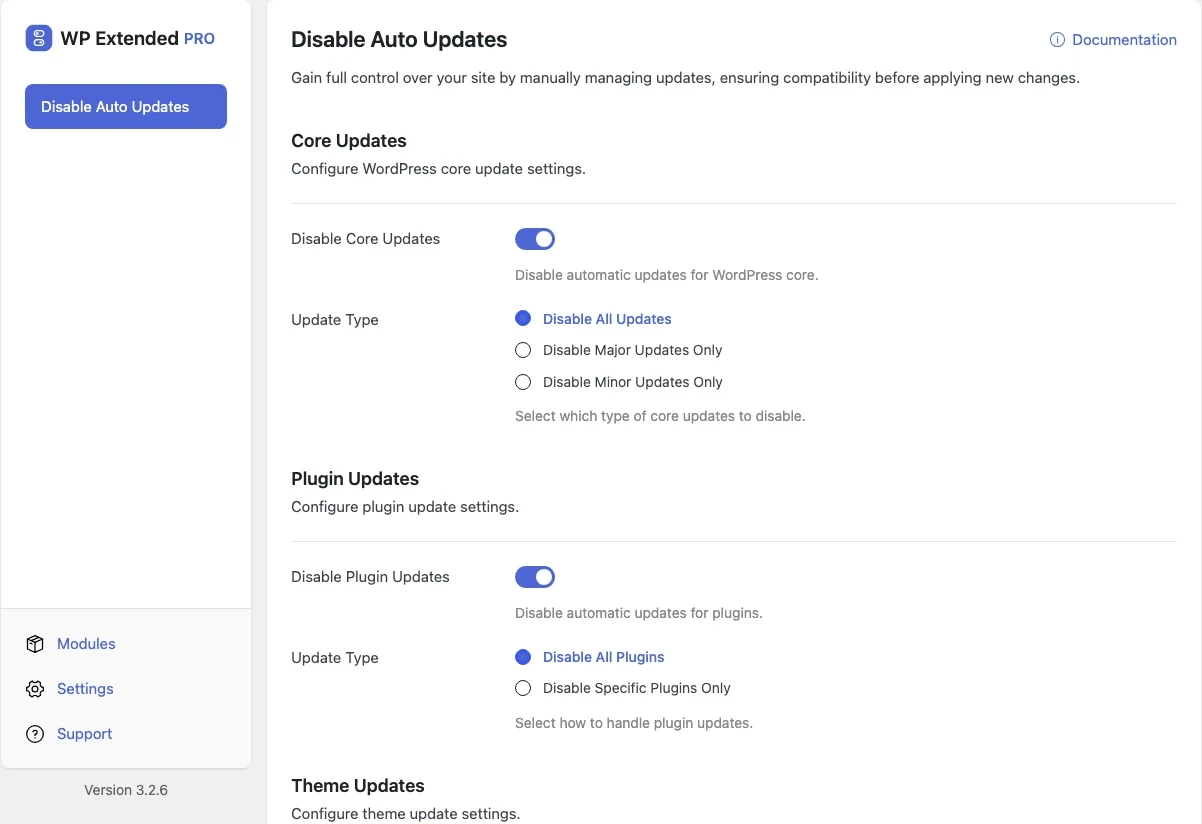
Control which WordPress updates run automatically
Choose which parts of WordPress update themselves. Turn off core, plugin, theme or translation updates entirely, or only for specific plugins and themes.
Included in every Pro plan, alongside all the other modules.
- included in every Pro plan
- Pro
- settings to configure
- 7
- last improved in
- 3.1.0
- Performance & Control modules
- 8

Why you need Disable Auto Updates
Automatic updates are convenient until one breaks a client site overnight. Sites with custom code or strict testing need updates to happen when someone is watching.
What Disable Auto Updates does
Core updates
Disable automatic core updates, or only certain types.
Plugins and themes
Disable all, or pick the specific plugins and themes to hold back.
Translations
Stop translation files updating on their own.
What you can configure
7 settings, all included with Pro.
- Disable Core Updates Disable automatic updates for WordPress core.
- Update Type Select which type of core updates to disable.
- Disable Plugin Updates Disable automatic updates for plugins.
- Select Plugins Choose which plugins to disable auto-updates for.
- Disable Theme Updates Disable automatic updates for themes.
- Select Themes Choose which themes to disable auto-updates for.
- Disable Translation Updates Disable automatic updates for translations.
Where Disable Auto Updates helps

Maintenance retainers
Run updates on your schedule, with a backup and a check afterwards.

Pinned plugins
Hold back one plugin that you know breaks with its next release.
Disable Auto Updates vs Easy Updates Manager
Easy Updates Manager has 300k+ active installs on WordPress.org. If you only need this one job, that’s a fine choice. If the site also needs other modules on this list, it’s one less plugin to update.
- The difference
- Disable Auto Updates does the same core job inside WP Extended, so it shares one settings screen, one update and one support team with every other module you use.
Recent changes
The latest updates to Disable Auto Updates, from the WP Extended changelog.
Full changelog- v3.1.0 22 Sept 2025
- new
Core, plugin, theme, and translation update controls added.
- new
Disable Auto Updates questions
Disable Auto Updates documentationNo. It is part of WP Extended Pro.
Yes. Updates still appear in Dashboard → Updates, so you can run them yourself.
Get Disable Auto Updates with WP Extended Pro
Every Pro plan includes Disable Auto Updates and the rest of the toolkit, with updates and support.
Pro from $29 a year · 14-day money-back guarantee