

Move your WordPress login page
Give your login page its own address and send anyone who tries /wp-admin or wp-login.php somewhere else. Bots that only know the default URL never reach the form.
Free on WordPress.org, with nothing locked behind Pro.
- in the free plugin
- Free
- settings to configure
- 4
- updates since 2024
- 6
- last improved in
- 3.4.0

Why you need Custom Login URL
Every WordPress site has its login at the same two addresses, so automated attacks don’t need to look for it. They go straight to wp-login.php.
Moving the login doesn’t replace strong passwords, but it removes most of the automated traffic in one step.
What Custom Login URL does
Your own login slug
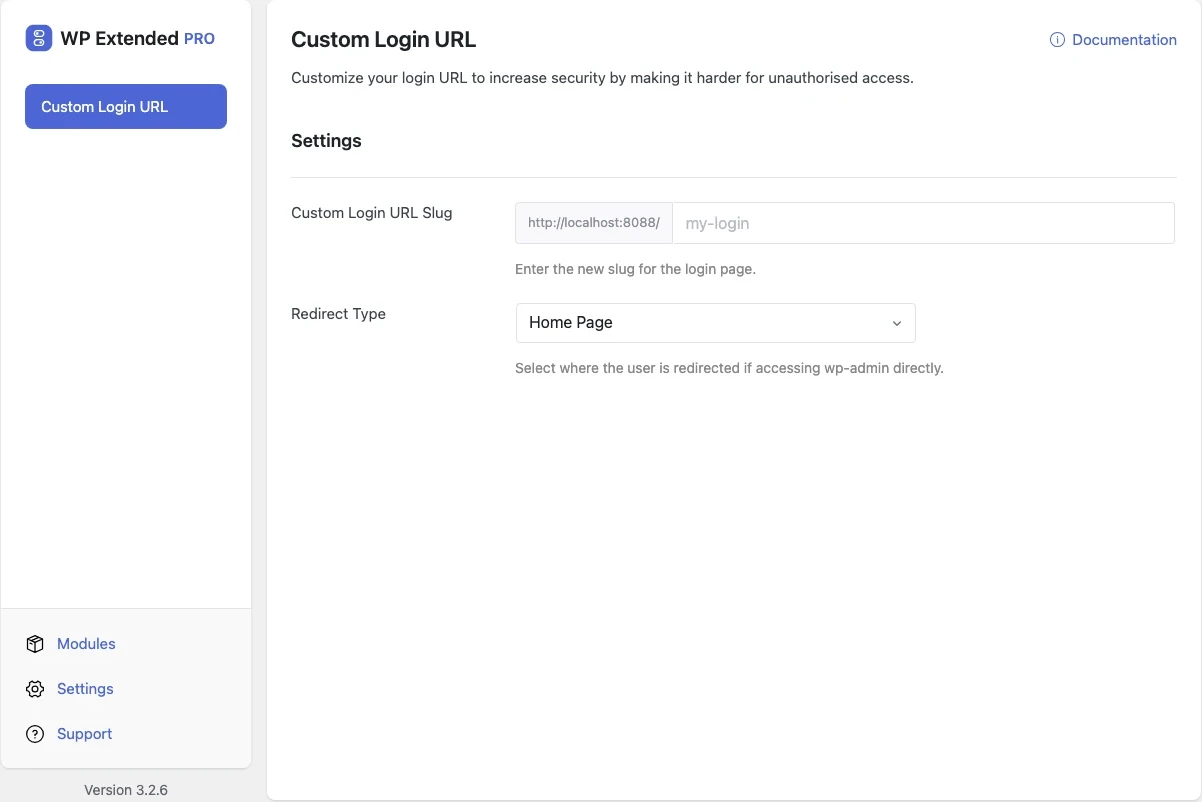
Choose any address, such as /team-login, for the login form.
Choose the redirect
Send visitors who try /wp-admin to an existing page or a custom URL.
Your message
Set the access denied message for blocked requests.
Set it up
In WordPress, open WP Extended and find Custom Login URL under Security & Privacy.
Full setup guide- 01 Turn on Custom Login URL under Security & Privacy.
- 02 Enter the new login slug and bookmark the full address.
- 03 Choose where visitors trying /wp-admin are sent, then save.
What you can configure
4 settings, all in the free plugin.
- Custom Login URL Slug Enter the new slug for the login page.
- Redirect Type Select where the user is redirected if accessing wp-admin directly.
- Existing Page Select an existing page to redirect to.
- Access Denied Message The message displayed to the user if they cannot access the page.
Where Custom Login URL helps

Cut login bot traffic
Most automated login attempts hit the default address and stop there.
Client handover
Give the client one memorable login address for their team.
Custom Login URL vs WPS Hide Login
WPS Hide Login has 2M+ active installs on WordPress.org. If you only need this one job, that’s a fine choice. If the site also needs other modules on this list, it’s one less plugin to update.
- What Custom Login URL covers
- A custom login slug, a redirect for blocked requests and a custom access denied message.
- When to choose the specialist plugin
- The standalone plugin covers the same job if it’s the only hardening you need.
“Turn on what you need, leave the rest off. Duplicate posts, SMTP, rollback, custom admin URL, code snippets… stuff I used to install four or five separate plugins for. Now it’s just one with one update to run and one UI to deal with.”
- v3.4.0 3 Nov 2026
- fixed
The password form on password-protected pages stopped working.
- fixed
- v3.3.0 10 Sept 2026
- fixed
The disabled-login message was not escaped and returned the wrong status code.
- fixed
- v3.2.0 24 Oct 2025
- fixed
Admin customizer login page logo not displaying when using a custom login URL.
- fixed
- v3.1.0 22 Sept 2025
- new
Additional redirect types.
- new
- v3.0.3 5 Jul 2024
- fixed
Custom Login URL – Default back to 'wp-admin' slug if custom slug is removed.
- fixed
Custom Login URL questions
Custom Login URL documentationYes. It is included in the free WordPress.org plugin.
Deactivate WP Extended by renaming its folder over FTP or your host’s file manager. The default wp-login.php address comes back straight away.
No. It cuts automated login traffic. Use it with Limit Login Attempts and strong passwords.
Yes. WordPress’s page password form posts to wp-login.php, and Custom Login URL lets those submissions through while still blocking the login screen.
Get Custom Login URL free
Custom Login URL is in the free plugin on WordPress.org, alongside 34 other free modules you can switch on when you need them.
Pro from $29 a year · 14-day money-back guarantee