
Clean Profiles Free
Simplify WordPress user profiles
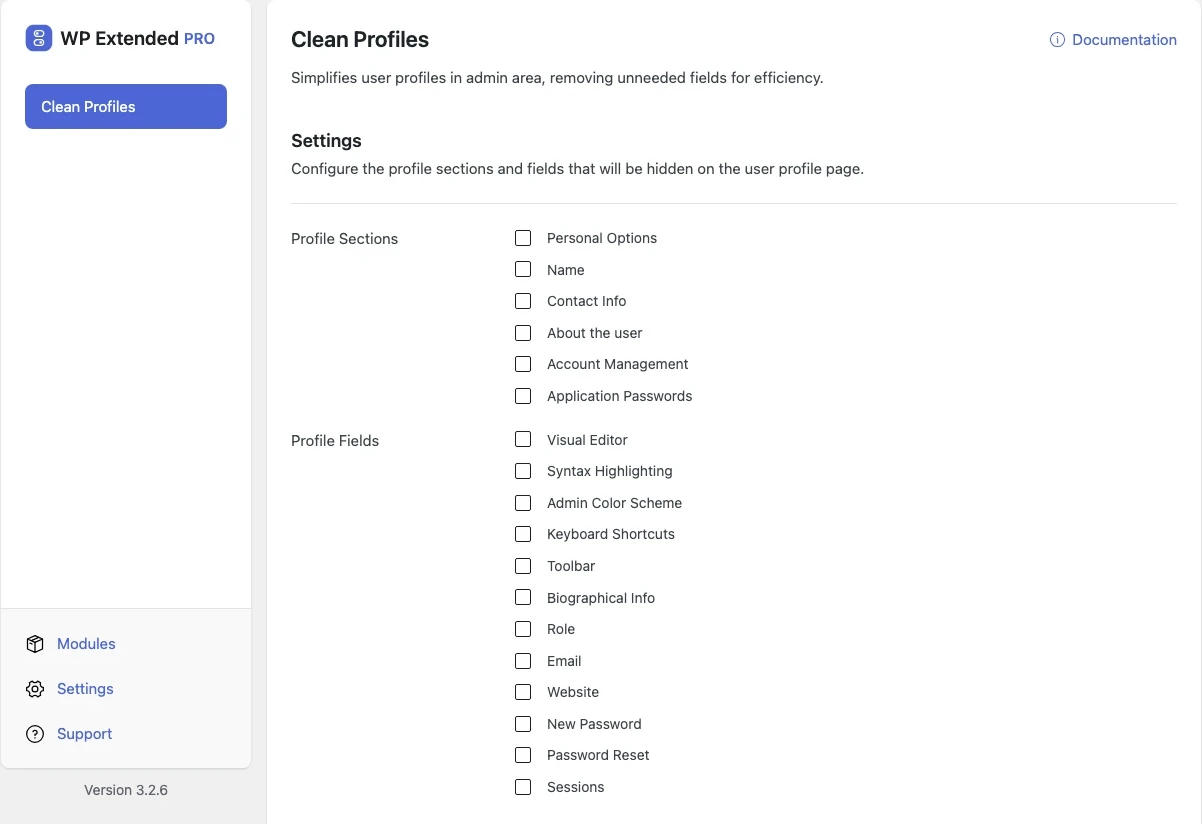
Hide the profile sections and fields your users never need, such as admin colour schemes, keyboard shortcuts and contact fields.
Free on WordPress.org, with nothing locked behind Pro.
- in the free plugin
- Free
- developer hooks
- 4
- updates since 2025
- 3
- last improved in
- 3.3.0

Why you need Clean Profiles
The profile screen shows every option WordPress has ever added. Clients and editors scroll past fields they will never use to change their password.
What Clean Profiles does
- Hide whole sections Remove profile sections you don’t need.
- Hide single fields Remove individual fields from the sections you keep.
Where Clean Profiles helps

Client sites
A short profile screen with only the fields people need.
For developers
Clean Profiles has 4 hooks for changing its behaviour per project, without editing the plugin.
All Clean Profiles hooksfilter functions.php or a Code Snippet
add_filter( 'wpextended/clean-profiles/field_selectors', function ( $value ) {
    // Return the value you want to use
    return $value;
} );- clean-profiles/field_selectors
- clean-profiles/fields
- clean-profiles/section_selectors
- clean-profiles/sections
Clean Profiles questions
Clean Profiles documentationYes. It is included in the free plugin.
Get Clean Profiles free
Clean Profiles is in the free plugin on WordPress.org, alongside 34 other free modules you can switch on when you need them.
Pro from $29 a year · 14-day money-back guarantee