

WordPress list screens, such as Posts, Pages, Media, Comments and Users, show the same handful of columns on every site: title, author, categories, date. The information your team actually needs is often a custom field: an event date, a product code, a reviewer, a membership plan. To check it, editors open record after record.
Admin columns fix that by putting the data in the list. There are three ways to manage them, from no-code to full control.
1. Hide columns with Screen Options
Every list screen has a Screen Options tab at the top right. Open it and untick any column you don’t need, such as Comments, Tags or Author.
It’s built in and takes seconds, but it has limits:
- it only hides existing columns, it can’t add new ones;
- the choice is saved per user, so every editor has to do it themselves.
2. Add columns with code
WordPress has hooks for adding your own columns. This example adds an Event date column to Posts, reading a custom field called event_date:
// Add the column heading.
add_filter( 'manage_posts_columns', function ( $columns ) {
    $columns['event_date'] = 'Event date';
    return $columns;
} );

// Fill the column for each row.
add_action( 'manage_posts_custom_column', function ( $column, $post_id ) {
    if ( 'event_date' === $column ) {
        echo esc_html( get_post_meta( $post_id, 'event_date', true ) );
    }
}, 10, 2 );
For a custom post type, use manage_{post_type}_posts_columns and manage_{post_type}_posts_custom_column. Users and comments have their own equivalents.
Code gives you complete control, but every column is something a developer has to write and maintain, and a sortable column needs extra code on top. Keep it in a child theme or a code snippet, never in a parent theme that updates.
3. Use an admin columns plugin
A plugin lets you add, rename and remove columns from a settings screen, with no code.
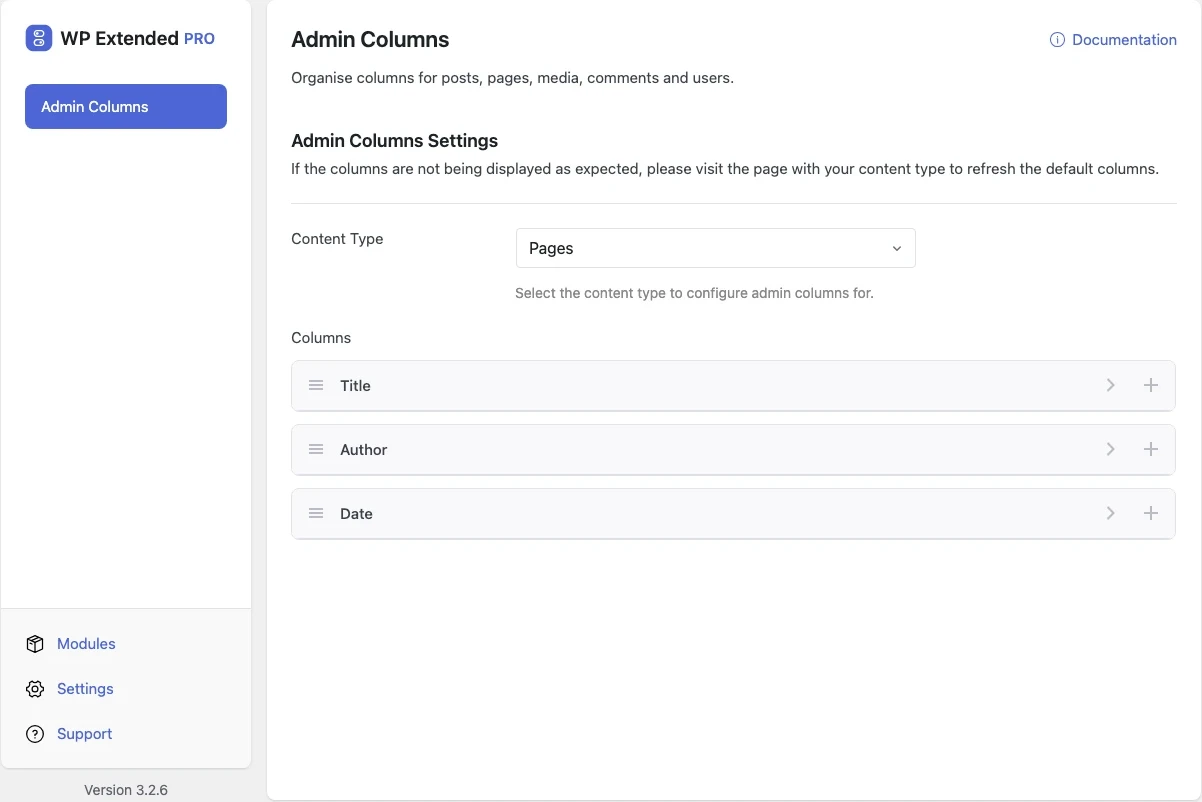
Admin Columns in WP Extended
The Admin Columns module, part of WP Extended Pro, covers the everyday jobs:
- Every list screen: posts, pages, custom post types, media, comments and users each have their own column settings.
- Custom field columns: choose a data source and meta key to show any custom field, including ACF fields.
- Rename and hide: change column titles and disable built-in columns for everyone, not just one user.
To set it up:
- Switch on Admin Columns under Admin Tools in WP Extended’s module screen.
- Choose a content type, such as Posts or Users.
- Add a column, give it a title, choose the data source and meta key, then save.
When to choose a dedicated plugin
The standalone Admin Columns plugin (and its Pro version) goes further than column display. If your team edits data directly from list screens, or needs filtering and exports, it’s built for that. If you mainly want the right information visible in the right lists, a module in a toolkit you already run avoids adding another plugin.
Columns worth adding
Some examples teams use every day:
- Events and listings: event dates, locations or prices in the list.
- Membership sites: plan or status columns on the Users screen.
- Editorial teams: reviewer, region or publish status fields.
- Developers: post IDs, which the Post ID Display module adds to list rows.
- Content teams: featured images you can change from the list with Quick Image.
Which method should you use?
| You want to | Use |
|---|---|
| Hide a few columns for yourself | Screen Options |
| One or two fixed columns, and you write code | The manage_*_columns hooks |
| Columns your whole team sees, set up without code | An admin columns module or plugin |
| Inline editing, filtering and exports from lists | A dedicated admin columns plugin |
Frequently asked questions
Can I hide admin columns without a plugin?
Yes. Open Screen Options at the top of any list screen and untick the columns you don't need. The choice is saved for your user account only.
Can I show ACF fields as admin columns?
Yes. ACF stores field values as post meta, so a custom field column using the field's name as the meta key will show it. In code, read it with get_post_meta() or ACF's get_field().
Do custom columns slow down the admin?
Each column runs a little code for every row on the screen. A few meta columns are negligible. Avoid columns that run heavy queries per row on lists showing hundreds of items.
Written with the help of AI tools and checked against the WP Extended plugin code.