

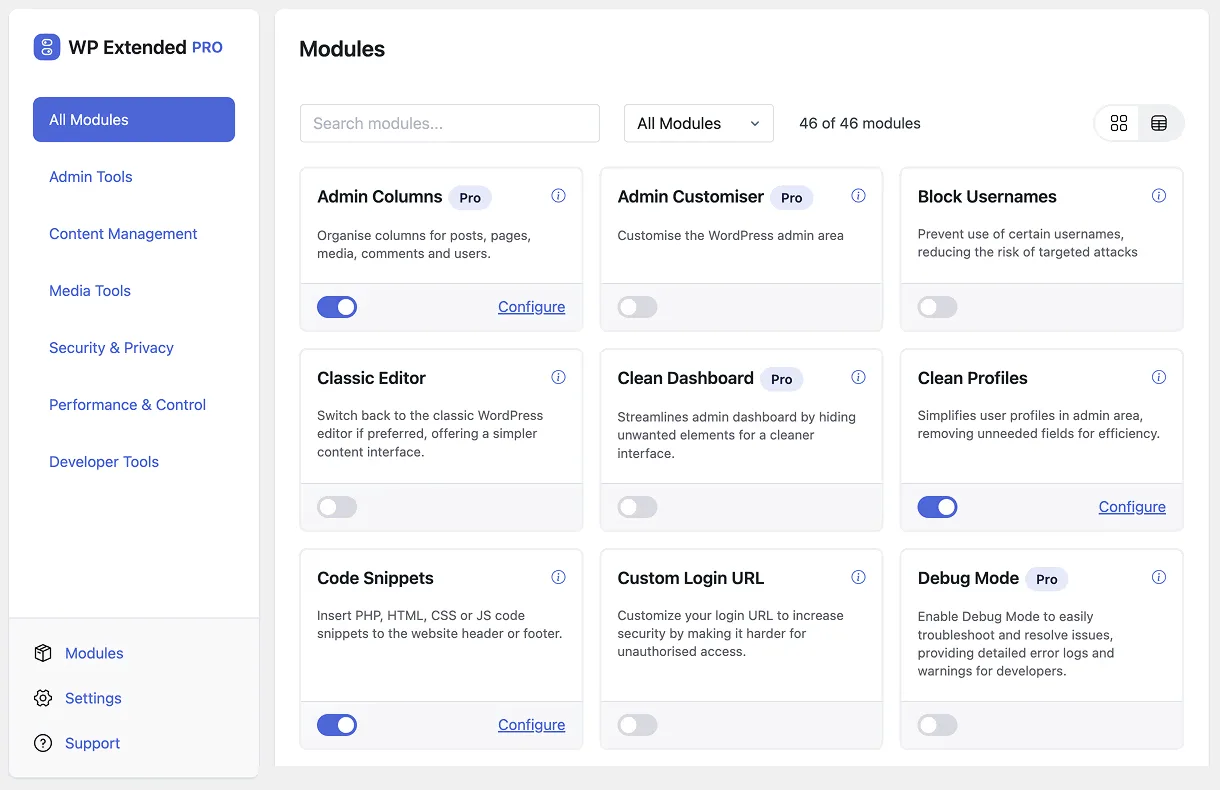
Most WordPress sites collect plugins one job at a time. One to send email properly, one to duplicate pages, one for code snippets, one to limit login attempts, one to tidy the admin menu. Each plugin is small and does its job, but together they become a stack of separate updates, settings screens and developers to rely on.
A modular WordPress plugin takes a different approach: one plugin containing many small tools, called modules, each with its own on/off switch.
How a modular plugin works
Think of it as a toolbox rather than a single tool. You install one plugin, open its module screen and switch on only what the site needs. Everything else stays off.
A well-built modular plugin has three properties:
- Modules are independent. Switching one on doesn’t drag others in, and switching it off removes it cleanly.
- Modules you leave off don’t run. They should add no code to your pages or admin until you switch them on.
- One place to manage it all. One settings area, one update, one changelog and one support team.
WP Extended works this way. It has 51 modules at the time of writing, 35 of them free, covering admin tools, content, media, security and development. Only the modules you switch on are loaded.
Why use one instead of separate plugins?
Fewer things to update and audit
Every plugin is a separate codebase from a separate developer, with its own release schedule. Ten small plugins means ten sets of updates to apply and ten developers whose work you’re trusting. Replacing them with one modular plugin cuts that down to one.
A consistent admin
Single-purpose plugins all design their settings differently, and many add their own top-level menu item, banner or upsell. Modules in one plugin share one interface, so clients and editors learn it once.
A repeatable setup across sites
If you build or manage several sites, a modular plugin becomes your standard toolkit. WP Extended can export your settings and import them on the next site with WP-CLI, so a new build starts from your usual setup. See the agency guide for the commands.
Easier to undo
Trying a feature is a switch, not an install. If it isn’t right for the site, switch it off again.
The trade-offs
A modular plugin isn’t always the right answer, and it’s worth being honest about where it falls short.
- Depth. A specialist plugin built around one job will usually go further in that job. A dedicated form builder, SEO suite or ecommerce plugin is not something to replace with a module.
- One vendor. You’re relying on one developer for several jobs. Check how actively the plugin is maintained, for example from its changelog and recent reviews.
- Overlap. If you already run a plugin for a job, don’t switch on the module that does the same thing. Two SMTP or two login-security tools will conflict.
When a modular plugin makes sense
It’s a good fit when your plugin list is mostly small utilities:
- sending email through SMTP
- duplicating posts and pages, or menus
- adding code snippets without editing
functions.php - limiting login attempts or changing the login URL
- tidying the admin menu, dashboard and notices
- maintenance mode while you work on the site
Those are exactly the jobs WP Extended’s modules are built for. Keep specialist plugins for the big systems on your site, such as forms, SEO, ecommerce and page building, and let one modular plugin handle the small jobs around them.
How to switch over without breaking anything
- List your small plugins and what each one does on the site.
- Match each to a module. Most module pages name the standalone plugin they can replace.
- Change one job at a time. Switch the module on, copy your settings across, check it works, then deactivate the old plugin.
- Test the critical jobs. After swapping an SMTP plugin, send a test email. After swapping login security, test a login from a private window.
Working through the list over a week or two is safer than swapping everything in one go, and leaves you with a shorter plugin list that’s easier to maintain.
Frequently asked questions
Does a modular plugin slow WordPress down?
It shouldn't, if modules you leave off don't load. In WP Extended, only switched-on modules are loaded, so a module you never enable adds no code to your pages or admin.
Is a modular plugin the same as a multipurpose plugin?
Mostly. The difference is control: a modular plugin lets you switch each feature on or off, so you only run what the site needs.
Can I use a modular plugin alongside single-purpose plugins?
Yes. Keep a specialist plugin where you need its depth and use modules for the rest. Just don't run two tools that do the same job, such as two SMTP plugins.
Written with the help of AI tools and checked against the WP Extended plugin code.